Filtered Component Selection
Overview
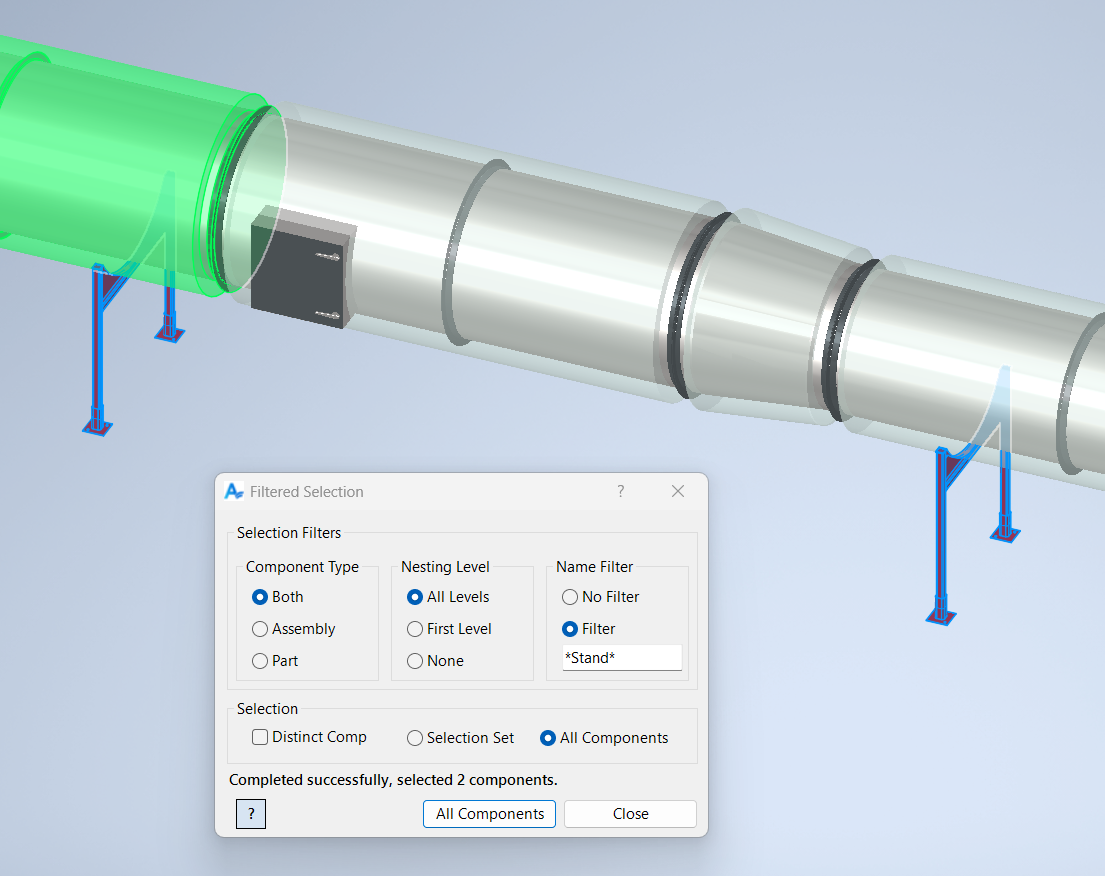
Filtered Select is a versatile and essential tool for managing large and complex Inventor assemblies. It enables users to select multiple components based on a rich set of filtering criteria, including selection scope, component type, nesting level, and name matching.
This command is especially valuable when working with assemblies containing hundreds or thousands of components, where manual selection would be impractical and error-prone. By allowing you to precisely target only the components you need, Filtered Select streamlines batch operations such as parameter updates, rule propagation, and component modifications.
The dialog provides intuitive controls for configuring filters, and supports advanced scenarios like selecting distinct components, filtering by type (assembly or part), and controlling nesting depth. Name filters allow for quick targeting of components by partial or full name matches.
Filtered Select integrates seamlessly with other commands, making it a cornerstone for efficient, automated workflows in Inventor projects.
Samples
Sample files are located in C:\ProgramData\Autodesk\ApplicationPlugins\ArpaFlow.AssemblyTools.Core.Bundle\Samples. See Samples Summary